> ## Documentation Index
> Fetch the complete documentation index at: https://dripart-nav-docs-metadata-batch2.mintlify.site/llms.txt
> Use this file to discover all available pages before exploring further.
# Wan Dancer:从音乐生成舞蹈视频
> 在 ComfyUI 中使用 Wan Dancer 从音乐生成同步舞蹈视频。输入参考图像和音频,即可生成连贯且富有表现力的舞蹈动作。
Wan Dancer 是一款基于 Wan万相 2.2 架构的音频驱动舞蹈视频生成模型。它采用分层框架,包含全局专家模型和局部专家模型,能够生成与输入音乐同步的连贯、富有表现力的舞蹈视频。
给定角色参考图像和音频轨道,Wan Dancer 会生成一段舞蹈视频,其中角色的动作与音乐的节奏和风格相匹配。全局模型捕捉整体舞蹈结构和身体协调性,局部模型则优化细粒度的动作细节,以实现自然、高质量的输出。
## 模型亮点
* **音频驱动的舞蹈生成**:直接从音乐生成舞蹈动作,无需手动关键帧或动作捕获
* **分层框架**:两阶段架构(全局+局部),实现连贯的身体运动和精细的动作优化
* **音乐同步输出**:舞蹈动作自然对齐到输入音频的节奏和速度
* **风格控制**:可配置的舞蹈风格和动作幅度,提供创意方向
* **分钟级生成**:生成长格式连贯舞蹈视频,全时段保持时空一致性
## 工作流总览
Wan万相 Dancer 工作流接受两个输入:角色参考图像和一个音频文件。它生成两个视频输出:一个全局输出预览,展示整体舞蹈结构;以及一个最终精炼输出,带有增强的动作细节。
请确保你的 ComfyUI 已经更新。
* [ComfyUI 下载](https://www.comfy.org/download)
* [ComfyUI 更新教程](/zh/installation/update_comfyui)
本指南里的工作流可以在[工作流模板](/zh/interface/features/template)中找到。如果找不到,可能是 ComfyUI 没有更新。
如果加载工作流时有节点缺失,可能原因有:
1. 你用的不是最新版(每夜版)。
2. 启动时有些节点导入失败。
* [Cloud](https://cloud.comfy.org) 会在 ComfyUI 稳定版本发布后更新。
所以,如果你发现本文档中有任何核心节点缺失,可能是因为新核心节点尚未在最新稳定版中发布。请等待下一个稳定版发布。
## Wan Dancer 工作流
### Wan Dancer:音乐驱动舞蹈(`video_wan_dancer`)
使用分层 Wan Dancer 框架,从音乐生成长达分钟级且连贯的舞蹈视频。输入音乐文件和参考图像,即可生成同步的舞蹈视频。
 在 Comfy Cloud 中打开
下载 JSON 或在模板库中搜索“Wan Dancer”
**输入素材**
将这些文件上传到对应的节点:
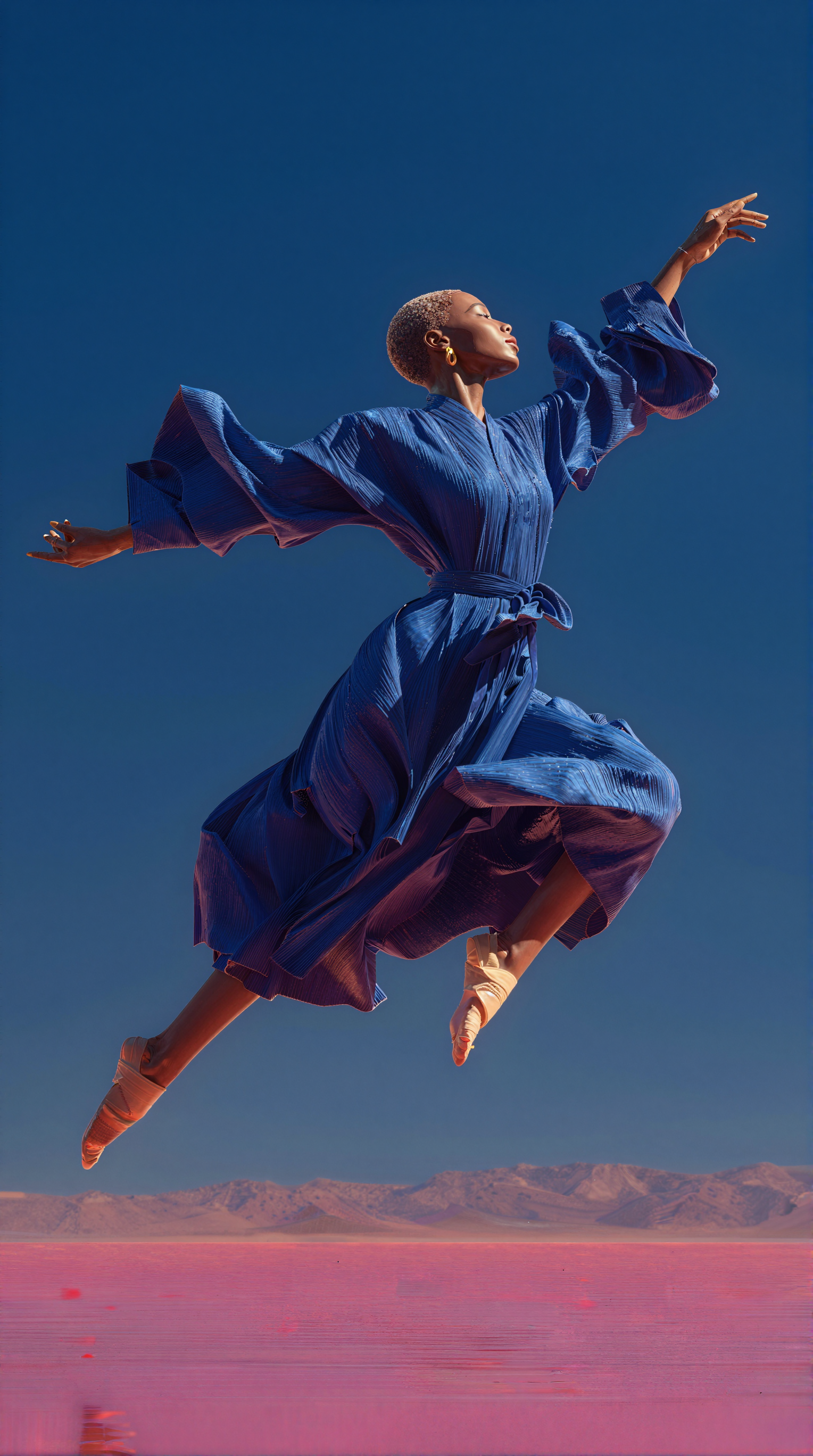
`LoadImage` 节点 547 · `blue_dancer.png`
`LoadAudio` 节点 548 · `wan_dancer_reference_audio.mp3`
### 3. 手动下载模型
**扩散模型**
* [wan2.2\_dancer\_14b\_global\_fp8\_scaled.safetensors](https://huggingface.co/Comfy-Org/Wan-Dancer/blob/main/diffusion_models/wan2.2_dancer_14b_global_fp8_scaled.safetensors)
* [wan2.2\_dancer\_14b\_local\_fp8\_scaled.safetensors](https://huggingface.co/Comfy-Org/Wan-Dancer/blob/main/diffusion_models/wan2.2_dancer_14b_local_fp8_scaled.safetensors)
**LoRA**
* [lightx2v\_I2V\_14B\_480p\_cfg\_step\_distill\_rank64\_bf16.safetensors](https://huggingface.co/Kijai/WanVideo_comfy/blob/main/Lightx2v/lightx2v_I2V_14B_480p_cfg_step_distill_rank64_bf16.safetensors)
**文本编码器**
* [umt5\_xxl\_fp16.safetensors](https://huggingface.co/Comfy-Org/Wan_2.1_ComfyUI_repackaged/blob/main/split_files/text_encoders/umt5_xxl_fp16.safetensors)
**CLIP 视觉**
* [clip\_vision\_h.safetensors](https://huggingface.co/Comfy-Org/Wan_2.1_ComfyUI_repackaged/blob/main/split_files/clip_vision/clip_vision_h.safetensors)
**VAE**
* [Wan2\_1\_VAE\_bf16.safetensors](https://huggingface.co/Kijai/WanVideo_comfy/blob/main/Wan2_1_VAE_bf16.safetensors)
```
ComfyUI/
├───📂 models/
│ ├───📂 diffusion_models/
│ │ ├─── wan2.2_dancer_14b_global_fp8_scaled.safetensors
│ │ └─── wan2.2_dancer_14b_local_fp8_scaled.safetensors
│ ├───📂 loras/
│ │ └─── lightx2v_I2V_14B_480p_cfg_step_distill_rank64_bf16.safetensors
│ ├───📂 text_encoders/
│ │ └─── umt5_xxl_fp16.safetensors
│ ├───📂 clip_vision/
│ │ └─── clip_vision_h.safetensors
│ └───📂 vae/
│ └── Wan2_1_VAE_bf16.safetensors
```
### 4. 工作流说明
Wan Dancer 一次性采样 149 帧,因此需要大量显存。默认工作流输出为 5 秒视频。运行此工作流前,请确保你的 GPU 拥有足够的显存。
1. **加载参考图像**:使用“加载图像”节点上传角色图像。默认输入为 `blue_dancer.png`。
2. **加载音频文件**:使用“加载音频”节点上传音乐或音频轨道。默认输入为 `wan_dancer_reference_audio.mp3`。
3. **配置舞蹈参数**:
* `dance_style`:选择输出视频的舞蹈风格
* `motion_amplitude`:控制舞蹈动作的强度
* `audio_duration`:设置为与输入音频的时长匹配
* `final_duration`:选择最终输出视频的时长
4. **配置输出尺寸**:
* `width` 和 `height`:设置输出视频的分辨率。请根据 GPU 的可用显存选择合适的值。
5. **验证模型路径**:确保模型选择器指向正确的模型文件:
* `global_model`:应加载 `wan2.2_dancer_14b_global_fp8_scaled.safetensors`
* `local_model`:应加载 `wan2.2_dancer_14b_local_fp8_scaled.safetensors`
* `lightning_lora`:应加载 `lightx2v_I2V_14B_480p_cfg_step_distill_rank64_bf16.safetensors`
* `clip_vision`:应加载 `clip_vision_h.safetensors`
6. **运行生成**:点击“运行”按钮或使用快捷键 `Ctrl(Cmd) + Enter` 执行视频生成。
### 5. 输出
工作流产生两个视频输出:
* **全局输出预览**:显示全局模型生成的舞蹈整体结构
* **最终输出**:经局部模型优化后的精细舞蹈视频
两个输出均通过 `SaveVideo` 节点自动保存。
## 模型信息
Wan Dancer 是一个基于 Apache 2.0 许可证发布的开源模型。模型权重可在 Hugging Face 上获取:
* [Comfy-Org/Wan-Dancer](https://huggingface.co/Comfy-Org/Wan-Dancer):全局和局部扩散模型
## 反馈问题
如果您遇到运行时错误或意外行为:
* 确保 ComfyUI 已更新到最新版本
* 检查所有必填模型是否已下载并放置在正确的目录中
* 对于桌面/云端用户:更新跟随稳定版本发布,因此每夜支持的模型可能无法立即使用
反馈问题至:[ComfyUI/issues](https://github.com/Comfy-Org/ComfyUI/issues)
在 Comfy Cloud 中打开
下载 JSON 或在模板库中搜索“Wan Dancer”
**输入素材**
将这些文件上传到对应的节点:
`LoadImage` 节点 547 · `blue_dancer.png`
`LoadAudio` 节点 548 · `wan_dancer_reference_audio.mp3`
### 3. 手动下载模型
**扩散模型**
* [wan2.2\_dancer\_14b\_global\_fp8\_scaled.safetensors](https://huggingface.co/Comfy-Org/Wan-Dancer/blob/main/diffusion_models/wan2.2_dancer_14b_global_fp8_scaled.safetensors)
* [wan2.2\_dancer\_14b\_local\_fp8\_scaled.safetensors](https://huggingface.co/Comfy-Org/Wan-Dancer/blob/main/diffusion_models/wan2.2_dancer_14b_local_fp8_scaled.safetensors)
**LoRA**
* [lightx2v\_I2V\_14B\_480p\_cfg\_step\_distill\_rank64\_bf16.safetensors](https://huggingface.co/Kijai/WanVideo_comfy/blob/main/Lightx2v/lightx2v_I2V_14B_480p_cfg_step_distill_rank64_bf16.safetensors)
**文本编码器**
* [umt5\_xxl\_fp16.safetensors](https://huggingface.co/Comfy-Org/Wan_2.1_ComfyUI_repackaged/blob/main/split_files/text_encoders/umt5_xxl_fp16.safetensors)
**CLIP 视觉**
* [clip\_vision\_h.safetensors](https://huggingface.co/Comfy-Org/Wan_2.1_ComfyUI_repackaged/blob/main/split_files/clip_vision/clip_vision_h.safetensors)
**VAE**
* [Wan2\_1\_VAE\_bf16.safetensors](https://huggingface.co/Kijai/WanVideo_comfy/blob/main/Wan2_1_VAE_bf16.safetensors)
```
ComfyUI/
├───📂 models/
│ ├───📂 diffusion_models/
│ │ ├─── wan2.2_dancer_14b_global_fp8_scaled.safetensors
│ │ └─── wan2.2_dancer_14b_local_fp8_scaled.safetensors
│ ├───📂 loras/
│ │ └─── lightx2v_I2V_14B_480p_cfg_step_distill_rank64_bf16.safetensors
│ ├───📂 text_encoders/
│ │ └─── umt5_xxl_fp16.safetensors
│ ├───📂 clip_vision/
│ │ └─── clip_vision_h.safetensors
│ └───📂 vae/
│ └── Wan2_1_VAE_bf16.safetensors
```
### 4. 工作流说明
Wan Dancer 一次性采样 149 帧,因此需要大量显存。默认工作流输出为 5 秒视频。运行此工作流前,请确保你的 GPU 拥有足够的显存。
1. **加载参考图像**:使用“加载图像”节点上传角色图像。默认输入为 `blue_dancer.png`。
2. **加载音频文件**:使用“加载音频”节点上传音乐或音频轨道。默认输入为 `wan_dancer_reference_audio.mp3`。
3. **配置舞蹈参数**:
* `dance_style`:选择输出视频的舞蹈风格
* `motion_amplitude`:控制舞蹈动作的强度
* `audio_duration`:设置为与输入音频的时长匹配
* `final_duration`:选择最终输出视频的时长
4. **配置输出尺寸**:
* `width` 和 `height`:设置输出视频的分辨率。请根据 GPU 的可用显存选择合适的值。
5. **验证模型路径**:确保模型选择器指向正确的模型文件:
* `global_model`:应加载 `wan2.2_dancer_14b_global_fp8_scaled.safetensors`
* `local_model`:应加载 `wan2.2_dancer_14b_local_fp8_scaled.safetensors`
* `lightning_lora`:应加载 `lightx2v_I2V_14B_480p_cfg_step_distill_rank64_bf16.safetensors`
* `clip_vision`:应加载 `clip_vision_h.safetensors`
6. **运行生成**:点击“运行”按钮或使用快捷键 `Ctrl(Cmd) + Enter` 执行视频生成。
### 5. 输出
工作流产生两个视频输出:
* **全局输出预览**:显示全局模型生成的舞蹈整体结构
* **最终输出**:经局部模型优化后的精细舞蹈视频
两个输出均通过 `SaveVideo` 节点自动保存。
## 模型信息
Wan Dancer 是一个基于 Apache 2.0 许可证发布的开源模型。模型权重可在 Hugging Face 上获取:
* [Comfy-Org/Wan-Dancer](https://huggingface.co/Comfy-Org/Wan-Dancer):全局和局部扩散模型
## 反馈问题
如果您遇到运行时错误或意外行为:
* 确保 ComfyUI 已更新到最新版本
* 检查所有必填模型是否已下载并放置在正确的目录中
* 对于桌面/云端用户:更新跟随稳定版本发布,因此每夜支持的模型可能无法立即使用
反馈问题至:[ComfyUI/issues](https://github.com/Comfy-Org/ComfyUI/issues)